


Latest Version
Augustinas Malinauskas
IT Tools
Mac
Free
6474268307
Report a Problem
More About Enchanted Developers Only
The Local LLM Dilemma: Solved for Mac Users
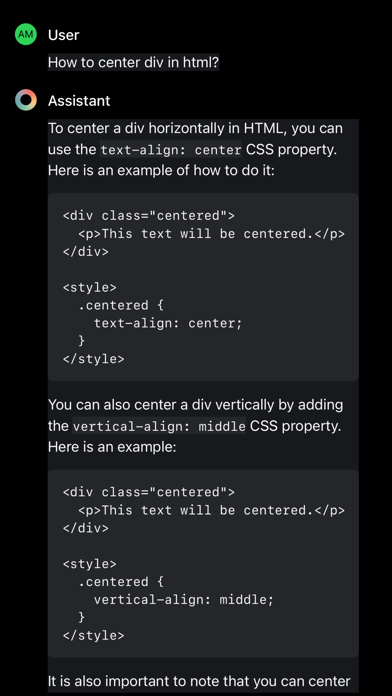
Imagine you have just spun up a powerful new open-source large language model on your local machine, but you are stuck interacting with it through a clunky terminal window. For artificial intelligence researchers and software engineers, having a polished, responsive user interface is crucial for rapid prototyping and prompt engineering. This is where Enchanted Developers Only local LLM chat steps in, offering a refined, native macOS environment designed specifically to bridge the gap between your self-hosted models and your daily workflow.
Seamless Integration with Your Ollama Ecosystem
Created by developer Augustinas Malinauskas, this specialized tool serves as a dedicated front-end companion for your local AI setup. The application is built to communicate directly with your running Ollama server, meaning you retain complete privacy and control over your data. Rather than sending your proprietary code or sensitive queries to external cloud APIs, everything remains strictly on your local hardware.
Key Features of the Enchanted Developers Only Local LLM Chat
- Ollama API Support: Connects effortlessly to your local Ollama server endpoint via the application settings.
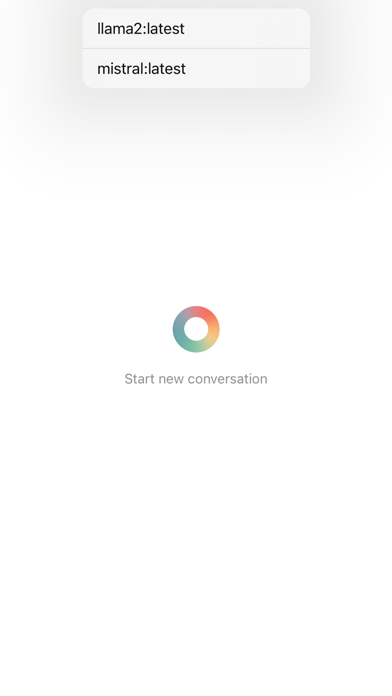
- Ecosystem Model Compatibility: Switch instantly between different downloaded models to compare outputs and test prompt variations side by side.
- Advanced Chat Capabilities: Supports the latest Chat API protocols, ensuring conversation context is maintained throughout long debugging sessions.
- Rich Markdown Rendering: View complex code blocks, structured tables, and bulleted lists in a clean, highly readable format.
- Real-Time Streaming: Watch model responses generate dynamically without waiting for the full payload to complete.
Who Is This Tool For?
Classified under the IT tools category, Enchanted Developers Only local LLM chat is tailored specifically for developers, data scientists, and LLM researchers who prioritize local execution. Whether you are offline, working with sensitive intellectual property, or simply testing the limits of open-source models, this app streamlines your interactive testing loop on macOS.
Getting Started
Please note that to utilize this interface, you must have an active Ollama server running locally or accessible via your network. Once you configure your server endpoint in the application preferences, you can immediately begin chatting with your installed models. For Mac users looking to elevate their local AI development experience, you can find more details and download the client on the official Apple App Store.
Rate the App
User Reviews


Popular Apps










Editor's Choice